A year of painting every day

Towards the end of 2024 I met someone who told me they had a practice of making artwork every single day. No particular constraints- just make something every day. I’m pretty sure she said she’d done 1000 days! Maybe I’m misremembering? That seems like a lot. Anyway, I was impressed. She said It didn’t matter how the thing turned out because the result “didn’t mean anything about her as an artist” If it went badly it didn’t matter, it was simply a picture and another one would get done tomorrow.

I’d been feeling for a while that I needed to set aside some time to make some personal work, and I’ve always struggled to get any done when there’s no deadline. Perfectionism probably. Anyway, the idea of “just do something, it doesn’t matter if it’s good” appealed to me a lot. So I decided I’d commit to it there and then. I’d already been doing a few watercolour plein-air paintings at the time, so a little painting every day made sense.

Well, I did it. In fact, I ended up with 385 paintings in total- which is 1.05 per day. And now it’s time I looked back to see whether it was all worth it.

I did a lot of bad paintings. In fact, most of them were very bad. The “hit rate” has been shockingly low actually.
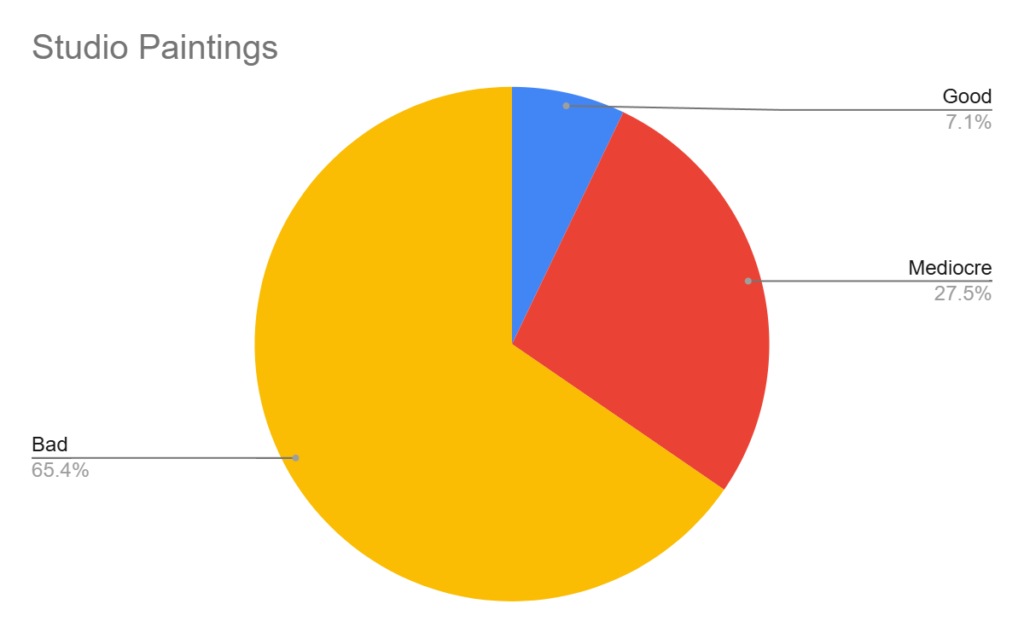
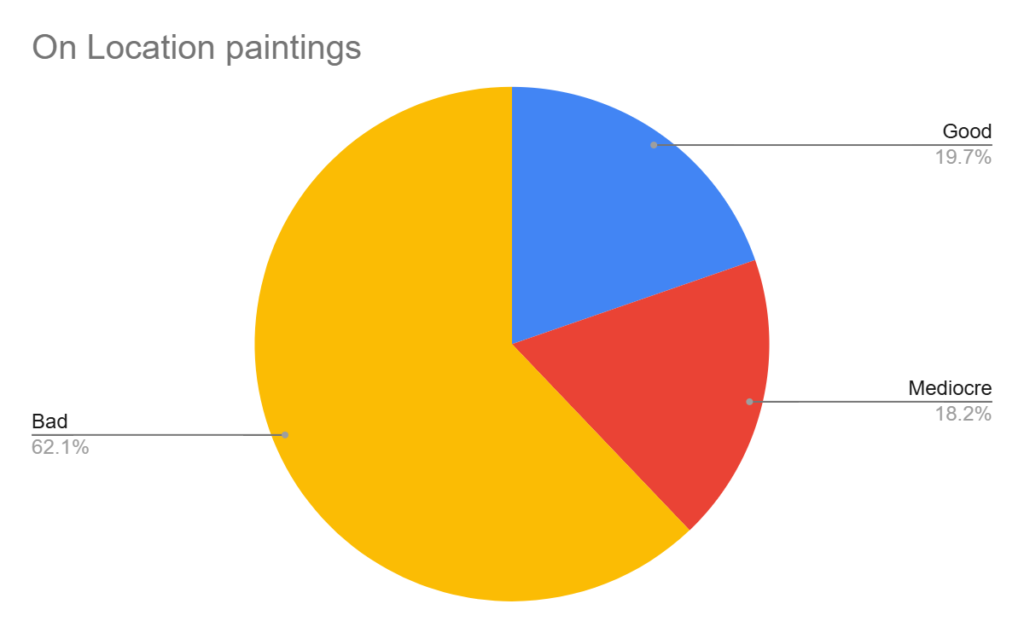
I also didn’t enjoy painting a lot of them. I’d say at least a third I just hated doing. I should note though that in a lot of cases I resented the start of the painting and enjoyed the middle. Whether or not I enjoyed the end came down to whether I thought that particular painting had gone well.

A 30 minute study from a photo

Did I improve? Yes, I think so, though maybe not as much as you might think. And certainly not as much as I’d hoped.

Here’s a handful of takeaways:

Bad paper makes watercolour a lot less fun. It undermines you at every turn! Cheap “watercolour” paper is actually often worse than other “general purpose” papers or thin card. If it feels bad, it is bad. On the other hand some papers can be so exquisite and delightful that it’s hard not to make excess marks just for the sheer hell of it.
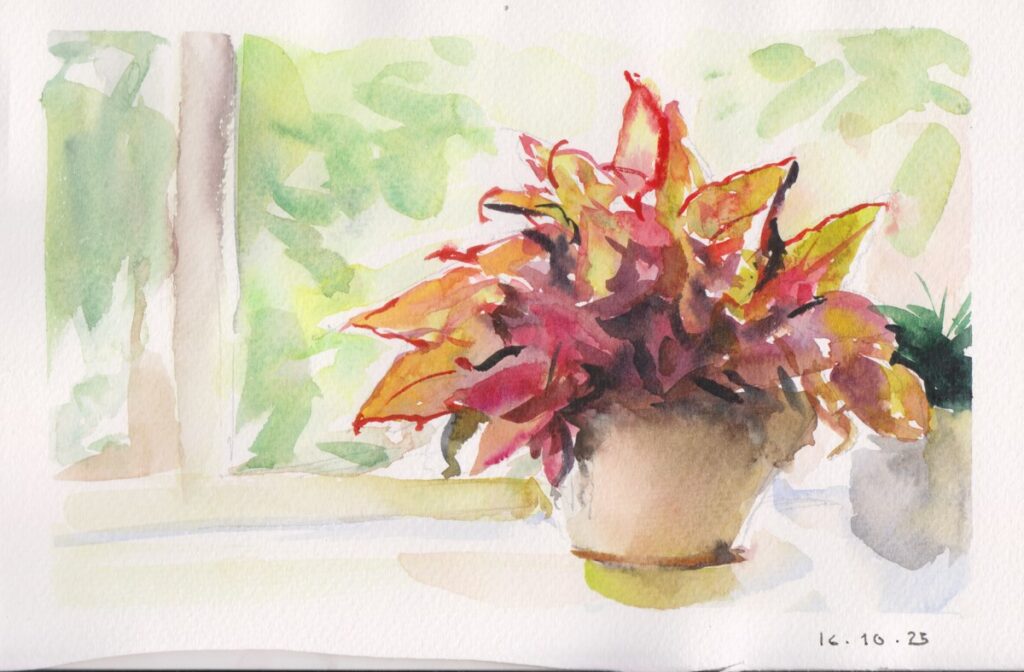
A house plant on the window ledge.

Painting from a photo is not nearly as satisfying as painting from life. It doesn’t even matter what the subject is.

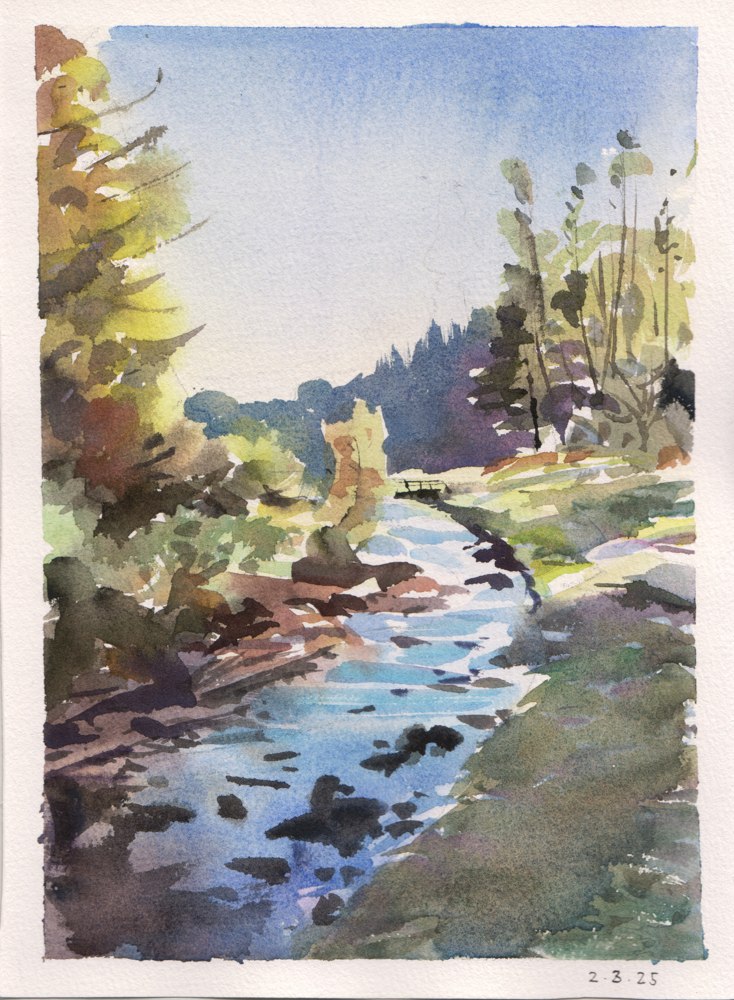
Painting on location (en plein air)- especially somewhere beautiful- is one of the most rewarding things you can do as an artist. With the exception of one or two catastrophises- I prefer all my plein-air paintings to any of my photo studies, and I enjoyed making them about ten times more.
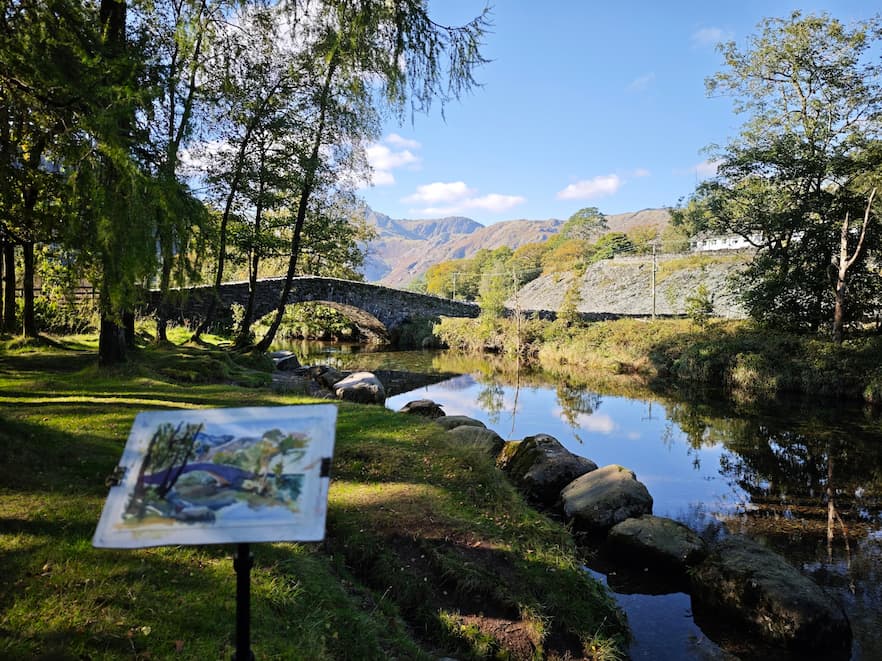
The fact that I was thinking about painting constantly led me to do things I wouldn’t normally- like heading out in the twilight to paint the sun going down over Anglesey, or going on on freezing cold days to paint so I could have at least one plein-air panting per month.
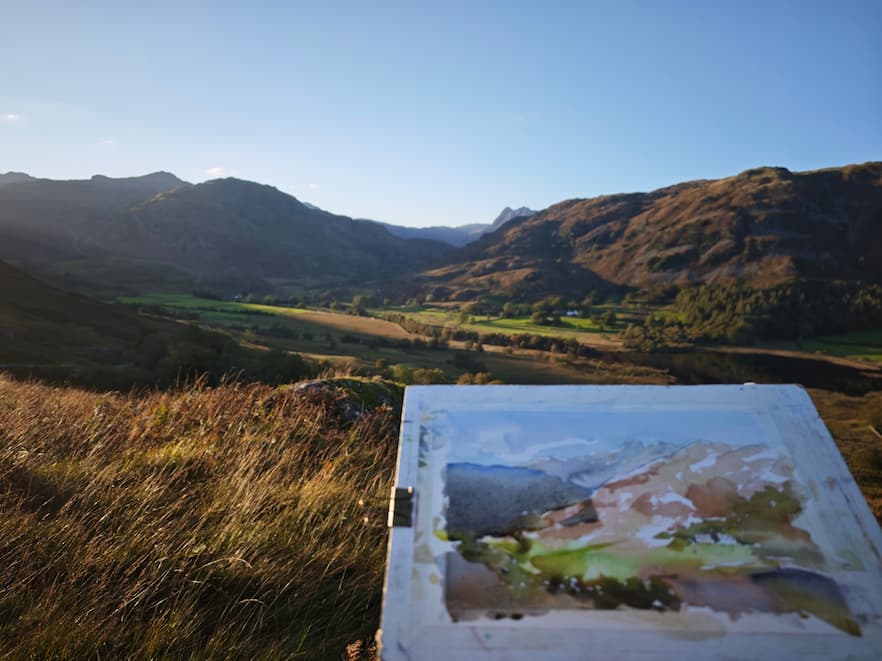
Sunset over the Lake District. I spilled water all over this immediately after finishing it.

Any personal connection to the subject improves the painting. Your own photos beat someone else’s, or something off the internet, even if the subject is more photogenic. All those boring still-lifes and flower studies I hated as a younger artist may well exist simply because it’s more fun to paint anything real- even some fruit- rather than a photo.

Rushing spoils paintings. Which is unfortunate when you just want to get it done and “ticked off” for the day. Doing one complete painting a day means that you often rush.
Your gear will probably improve. I made a little painting desk- it’s an old board screwed onto an Ikea chest of drawers. It’s the kind of thing I might not have bothered doing if I hadn’t committed to daily painting and knew I was going to make use of it. Similarly, I’ve tuned my brushes, experimented with palettes and paints, and bought a fair bit of stuff. I’ve tried:

  • 27 different types of watercolour paper
  • 9 different paint brands
  • A lot of different brushes.

As a very brief summary of what I recommend:
Rosa Gallery paints.
Arches paper.
Pro Arte brushes.
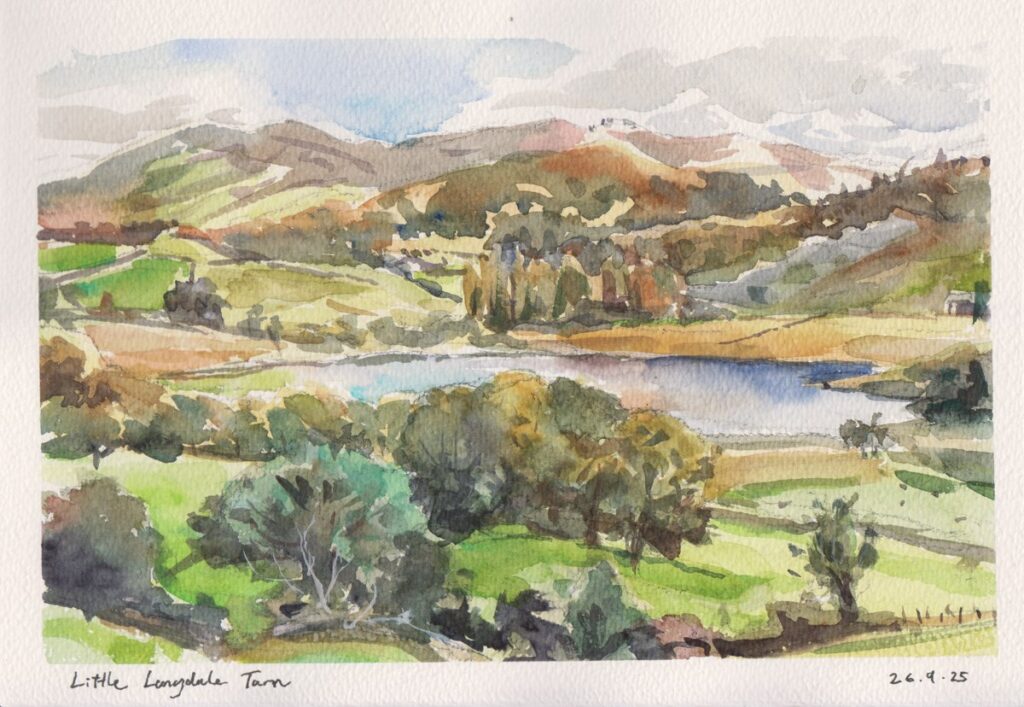
Little Langdale Tarn- painted on location on a very changeable day.

So for 2026 have I carried on?

No. I haven’t done a single painting for 2 months now. At first it felt like something was definitely missing, but it’s also nice to not have that daily “task” hanging over me. I intend to paint when it’s fun- which means when the weather is nice, basically. Now, what the hell do I do with all these dodgy paintings?
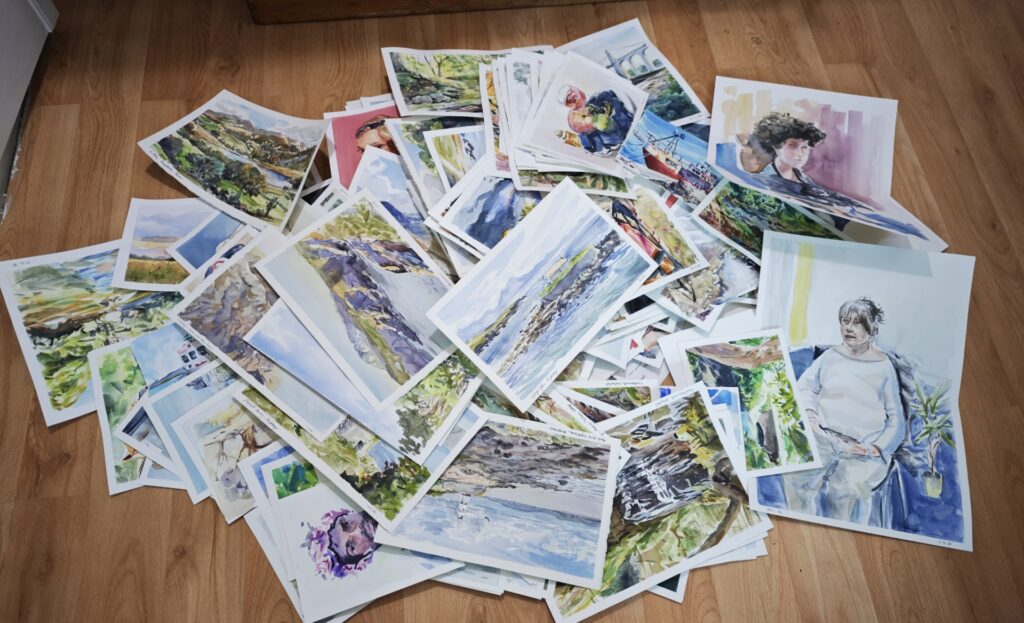
A year’s worth of paintings.

Ditching Photoshop, embracing Krita

Having become completely sick of Adobe and thier general shithousery- I’ve decided to say “so long Photoshop” and ditch the software I’ve been using faithfully since I was 12 years old. Goodbye Photoshop, my abusive partner, I hate your guts.

Enter Krita! The open source painting program that I’ve been very impressed with for some time.

The Krita UI is a bit intimidating at first. It’s default setup is overwhelming and could definitely do with some refinement, but give it a chance.

I’ve been using it for just over a year now and I’m happy enough with the stability and the performance to use it for all my client work. Having dipped into Krita in the past and having issues with the brush performance I’m happy that the latest versions seem to be much better.

Reasons that Krita is better for illustrators than Photoshop:

  • It’s free! You won’t be unable to open your decades of work the moment you stop paying “rent”.
  • There are multiple brush engines. Most of which let you tweak many more parameters than in photoshop.
  • It has the shape fill tool! You create the selection and fill at the same time. It’s a much better flow that “select” then “fill”.
  • You can transform a selection consisting of multiple layers at the same time- this is absolutely game changing as far as I’m concerned, and I use it all the time.
  • Plugins and customisation. The python API lets you automate so much.
  • The assistant tool- you can have toggleable, editable perspective guides saved into the file itself.
  • It’s designed for illustration, rather than photo editing. Plus it’s only going to get better- and add more illustration centric features. Rather than focusing on generative AI or photography.

Some teething problems I’ve encountered as a recovering Photoshop user:

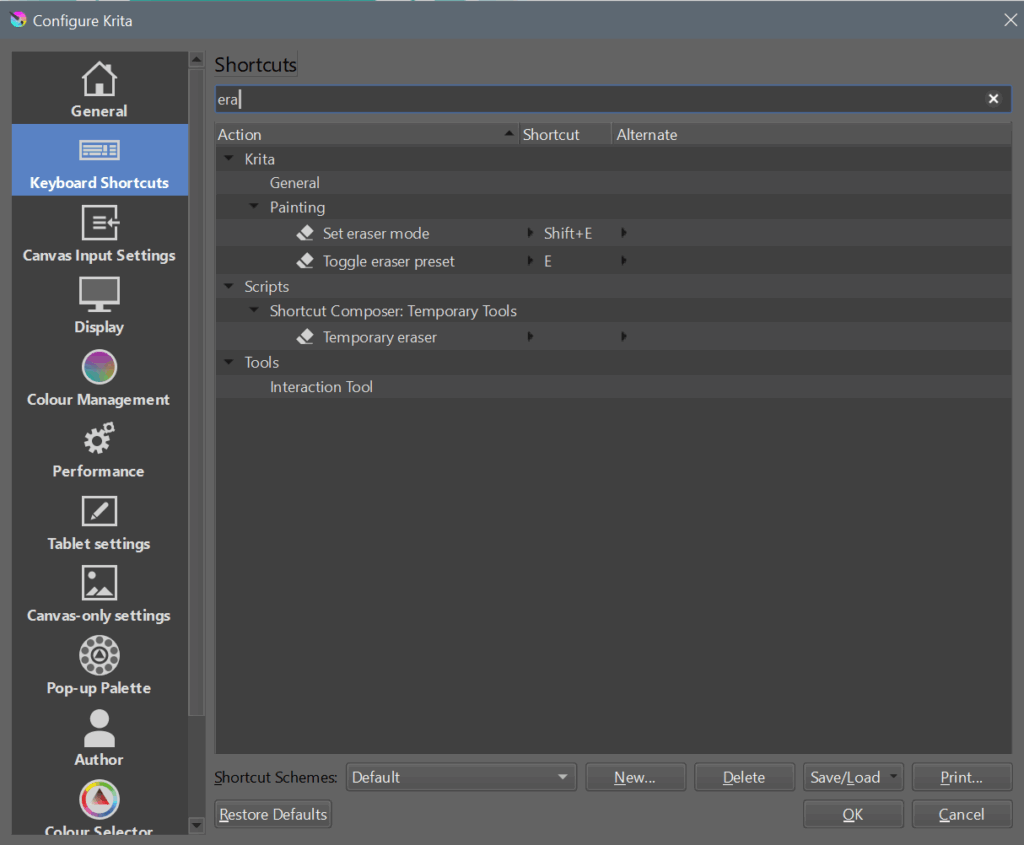
  • The eraser not being “E”
  • The default UI is pretty overwhelming
  • Clipping masks work slightly differently, and aren’t recognised when opening a .psd file.
  • The text tool is currently inadequate. It’s clunky to use and it isn’t designed for multi-line text. From what I understand a better version is currently in development.
  • There’s a separate delete for layer and layer content.
  • I miss the “replace colour” tool.

Things I thought would be a problem and aren’t:

Handling files for export. I thought I need Photoshop’s precision with guides or colour management or something? Nahh.

PSD compatibility. Clipping masks aren’t recognised when opening .PSD files. you can just toggle them on yourself. No big deal.

Losing my extensions. Well, Krita does all that stuff already: I don’t need lazy Nezumi because Krita has assistants and brush smoothing options. I don’t need brusherator because Krita lets you tag brush pre-sets and assign shortcut keys with the ten brushes script. I don’t need toggleator because I can easily write a python script (or get AI to help me) to do the same thing, plus more.

Performance and stability. Undeniably photoshop still has an edge here. However Krita is definitely at a level I’m happy with now, which past releases where not. There’s also ongoing development to keep refining performance.

Some recommendations for former photoshop users.

For me- the biggest friction point when switching to Krita was the way that the eraser is not a separate tool, but a mode applied to whatever tool you’re using.

For instance, you can go to use the fill tool- and having used the eraser brush last- you fill the page with “erase”. In other words you erase everything. Pretty frustrating.

This is something you just have to get used to. If you’re handy with python you can script some workarounds, but ultimately it’s a different paradigm for how the software works. One thing you can do to lessen the pain is to set a custom shortcut to toggle the eraser preset:

Another recommendation is to use the photoshop-compatible shortcut scheme- and to read this guide: https://docs.krita.org/en/user_manual/introduction_from_other_software/introduction_from_photoshop.html

In my opinion the most important bit is the difference in how Krita handles layer compositing- which explains why opening a .psd with certain clipping layers and blending modes will give unexpected results: https://docs.krita.org/en/user_manual/introduction_from_other_software/introduction_from_photoshop.html

Obviously it takes time to overcome old habits and conventions- but for me it’s been totally worth it. I don’t want to sugar coat things- Krita is definitely not perfect right now- but it’s getting better, and tools are worth it.

If you’re on the fence- give it a try for few weeks then decide: https://krita.org/

Watercolour en plein air

I absolutely love plein-air painting in watercolour. Basically- painting outside on location. I’ve been doing as much as I can and it’s still just not enough. I should really be doing it today instead of this!

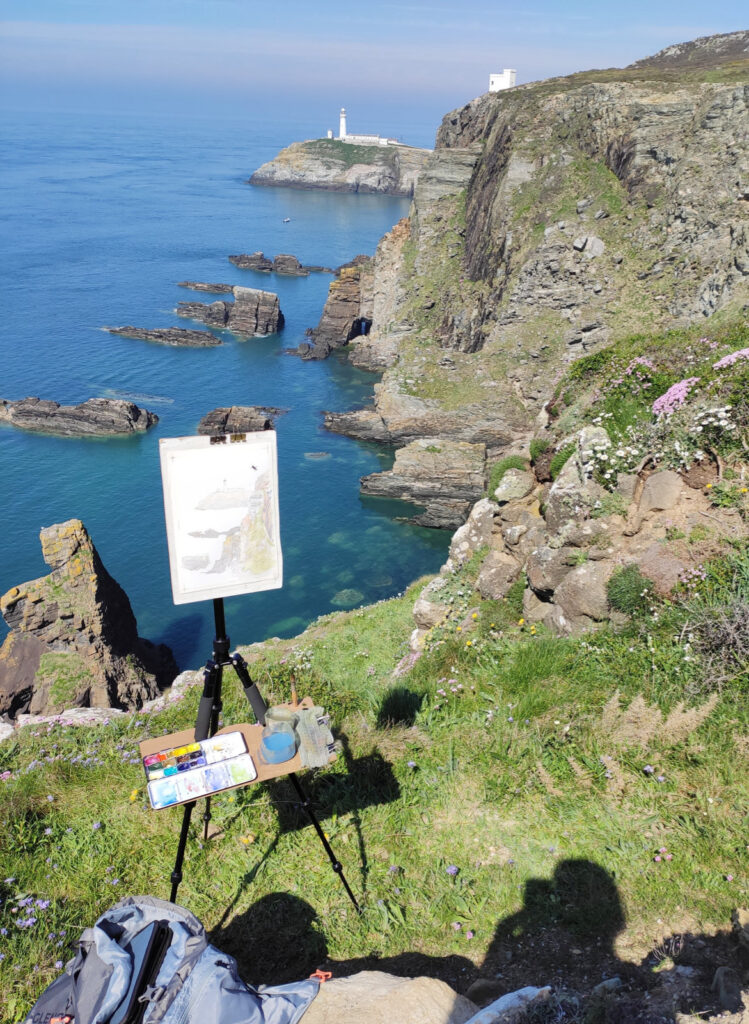
A beautiful spot near South Stack lighthouse, Anglesey.

The results are usually not that impressive- my watercolour skills have a long way to go- but the experience of doing it is always worthwhile. When it goes well it can turn a good day into a great day.

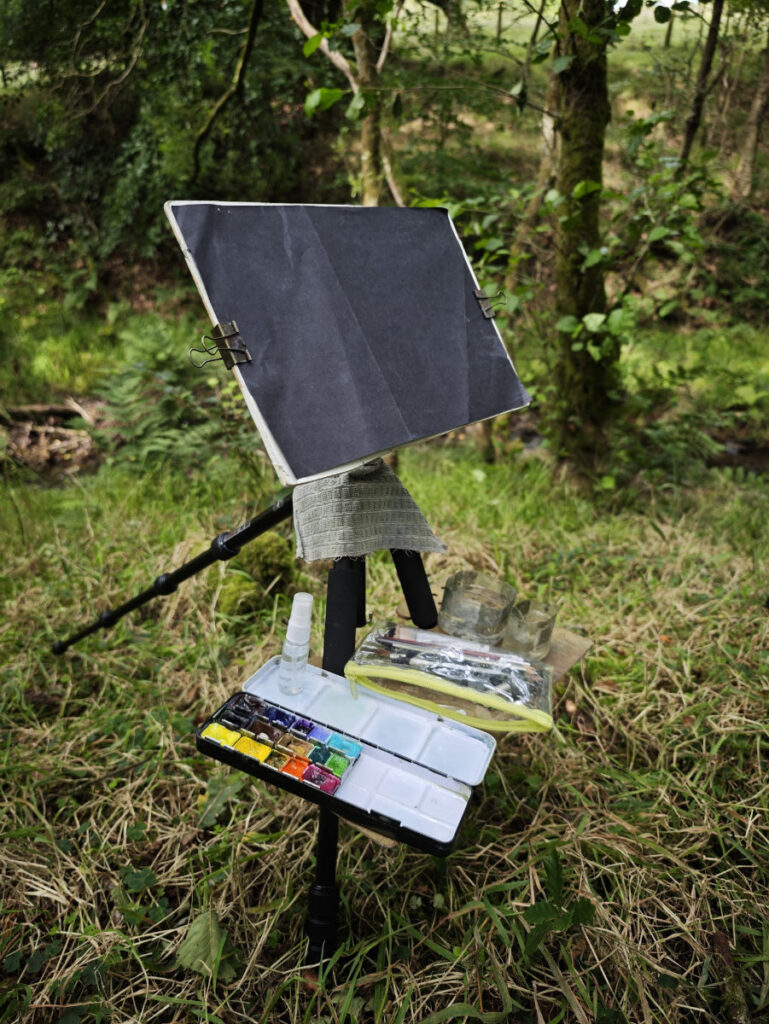
I’ve been experimenting with different setups- my current setup is based on James Gurney’s tripod setup but is constantly evolving.

It basically consists of a lightweight tripod- a board screwed onto the tripod’s camera plate, and a small shelf made of some more board that hooks around the legs of the tripod. My water pots (old plastic bottles with a metal hanging bracket glued on) and paint box are clamped onto the shelf with magnets. I also usually clamp a rag on with a bulldog clip, and clamp a piece of scrap paper over my painting surface to protect it before putting it my bag. A small section of camping foam roll makes for a portable seat. The whole lot can be easily packed up into my backpack.

Thus far I haven’t had the courage to paint in any busy places- I prefer the most wilderness-like places I can find! The idea of painting with people looking over my shoulder is not very appealing.

Mistakes made and lessons learned:

Don’t forget your stuff.

This is a big one. If you have a dedicated plein-air bag with everything ready to go- then you’re less likely to leave something important behind.

Choose a suitable subject.

You are not a camera. Don’t try to be one. There’s a place for photorealism, but it’s probably not when you have limited time, minimal shelter and the light is constantly changing! I’ve found that simpler, more graphic subjects tend to come out better.

Do a decent drawing first.

A good drawing makes for a good painting. It’s very tempting to rush to the fun bit with all the swooshy colours, but knowing what things are and where they go saves you a lot of trouble later on.

When I say a “good” drawing- I mean a clear drawing that simplifies the scene and will help you understand where one thing ends and another begins.

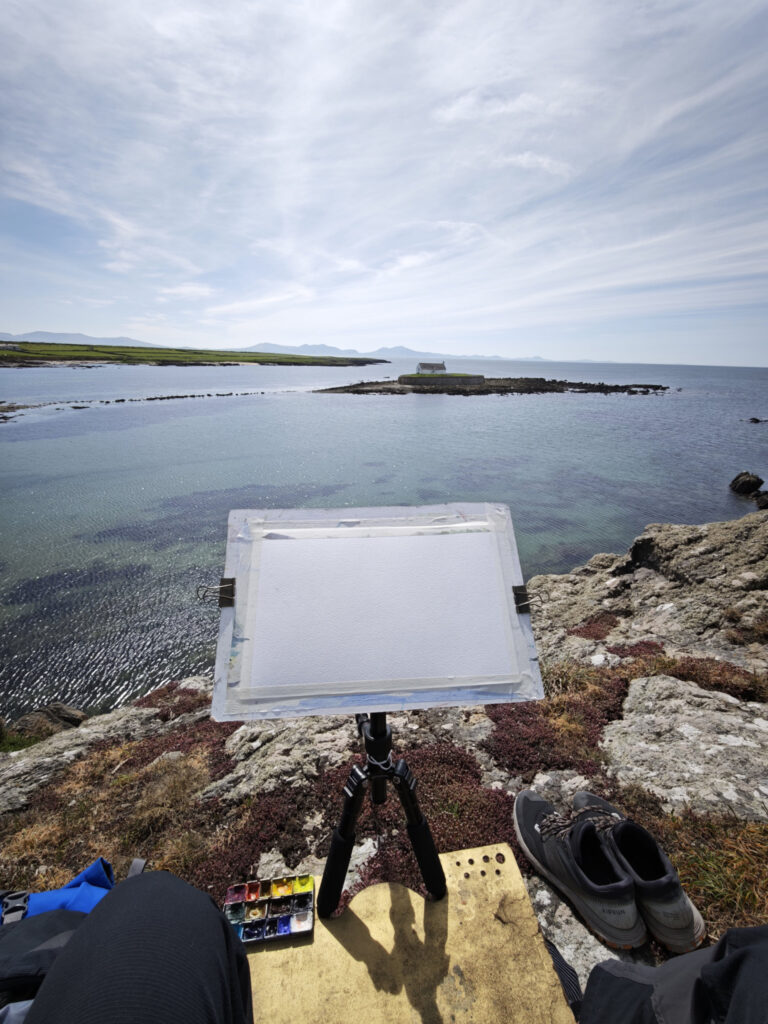
Eglwys Cwyfan, Anglesey. Top tip: take your shoes off to feel more at home anywhere.

Prepare for the conditions!

Kind of obvious, I know. It will probably surprise no one to find out that the final artwork is often better when your fingers don’t hurt from the cold, and shivering is preventing you from making any accurate marks. On the other hand- blinding direct sunlight doesn’t make things easy either.

Then there’s the insects! Not only do mosquitoes, ticks and horseflies love the taste of plein air painters, but every other insect seems to enjoy sitting on the bright white, often damp, surface of your painting.

A few extra common sense items solve most problems:

  • Season appropriate clothing- often including gloves and hat.
  • Sun cream.
  • Insect repellent.